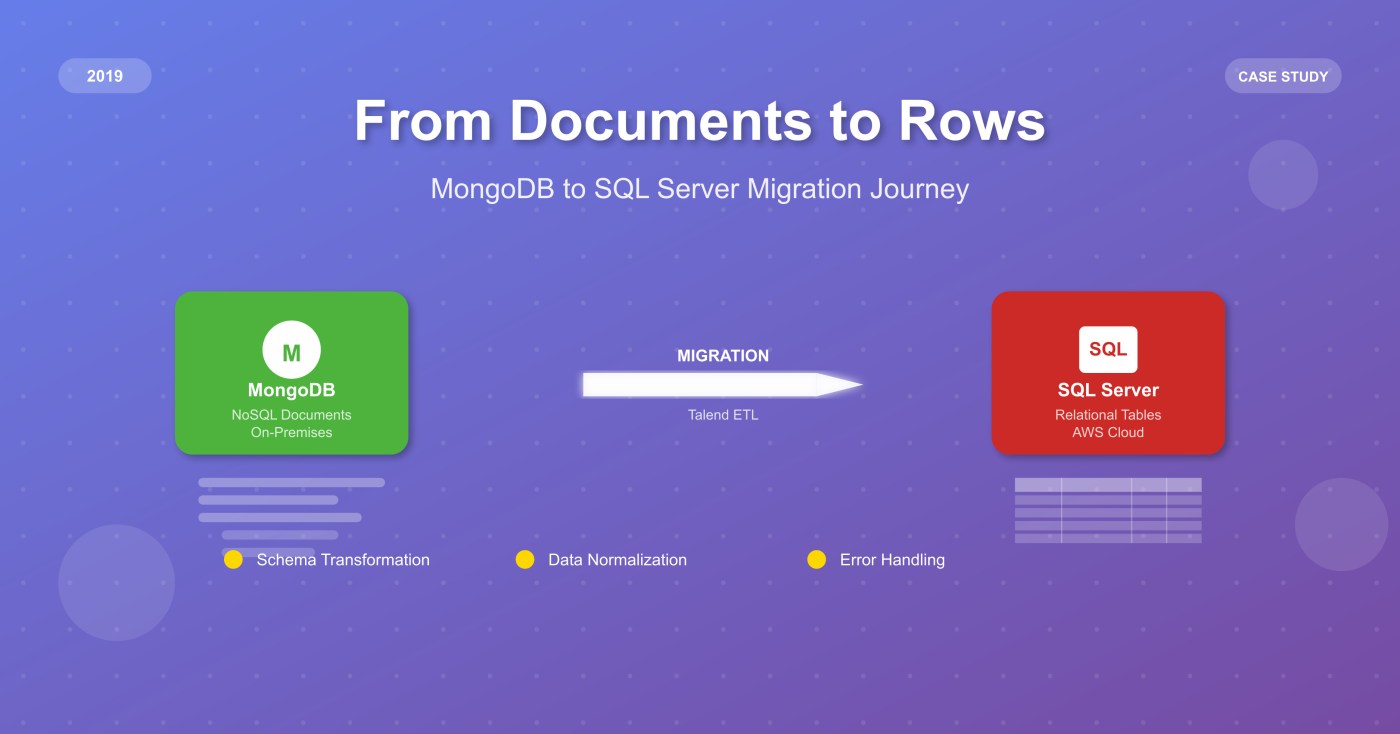
When I received a migration requirement back in 2019, I’ll be honest—I had to pause for a moment. “We need to move from MongoDB to SQL Server,” they said. “And oh, by the way, the source is on-premises and the target is in AWS.”
After years of handling database migrations, this was a first for me. Most of my previous work involved moving data between similar systems—Sybase to SQL Server, MySQL to SQL Server, MS Access to Oracle, and similar relational-to-relational migrations. But MongoDB to SQL Server? That’s not just moving data; it’s fundamentally changing how the data thinks about itself.
The Reality Check: What We Were Really Getting Into
Let me paint you a picture of what we were dealing with. On one side, we had MongoDB collections storing documents that looked something like this:
{
  "_id": ObjectId("..."),
  "customer": {
    "name": "John Doe",
    "email": "john@example.com",
    "addresses": [
      {
        "type": "home",
        "street": "123 Main St",
        "city": "Anytown",
        "state": "CA"
      },
      {
        "type": "work",
        "street": "456 Business Ave",
        "city": "Corporate City",
        "state": "NY"
      }
    ]
  },
  "orders": [
    {
      "order_id": "ORD-001",
      "date": "2023-01-15",
      "items": [
        {"product": "Widget A", "quantity": 2, "price": 25.99},
        {"product": "Widget B", "quantity": 1, "price": 15.50}
      ],
      "total": 67.48
    }
  ],
  "preferences": {
    "newsletter": true,
    "notifications": {
      "email": true,
      "sms": false
    }
  }
}
And on the other side, we needed clean, normalized SQL Server tables with proper foreign keys, constraints, and relationships. The gap between these two worlds felt enormous at first.
Rolling Up Our Sleeves: The Analysis Phase
The first thing I learned? You can’t just start moving data. I spent nearly three weeks just understanding what I was working with.
Document Deep Dive I remember sitting with my spreadsheets, going through collection after collection, taking notes on patterns I was seeing. “This field appears in 95% of documents, but this one only shows up sometimes.” “Look, the address structure is consistent, but some documents have one address, others have arrays of them.”
I created spreadsheets (yes, old-school spreadsheets) mapping every field I encountered, its data types, frequency of occurrence, and relationships to other fields. It was tedious work, but absolutely critical.
The “Aha” Moment in Modeling About a week into the analysis, things started clicking. I realized that what MongoDB was storing as nested documents were actually business entities screaming to be normalized. That customer document above? It was really:
- A Customer entity (name, email)
- Multiple Address entities (with a foreign key back to customer)
- Multiple Order entities
- Multiple OrderItem entities
- A CustomerPreferences entity
Once we saw the data through this lens, the path forward became clearer. We sketched out our conceptual model on whiteboards, then refined it into a proper logical model with:
- Entity tables
- Lookup/reference tables
- Proper foreign key relationships
- Strategic use of JSON columns for truly unstructured data
The Tool Hunt: Why We Chose Talend(qlik Company)
Now came the fun part—figuring out how to actually move this data. We evaluated several options:
SSIS: Great for SQL Server-to-SQL Server, but the MongoDB connector felt clunky
Custom Scripts: Considered writing Python scripts, but the complexity would’ve been enormous
AWS DMS: Solid for homogeneous migrations, but struggled with our complex transformations
Talend: This felt right from the first demo
What sold us on Talend wasn’t just the built-in connectors (though those were great). It was the visual approach to building transformation logic. When you’re dealing with complex nested structures, being able to see the data flow graphically makes a huge difference.
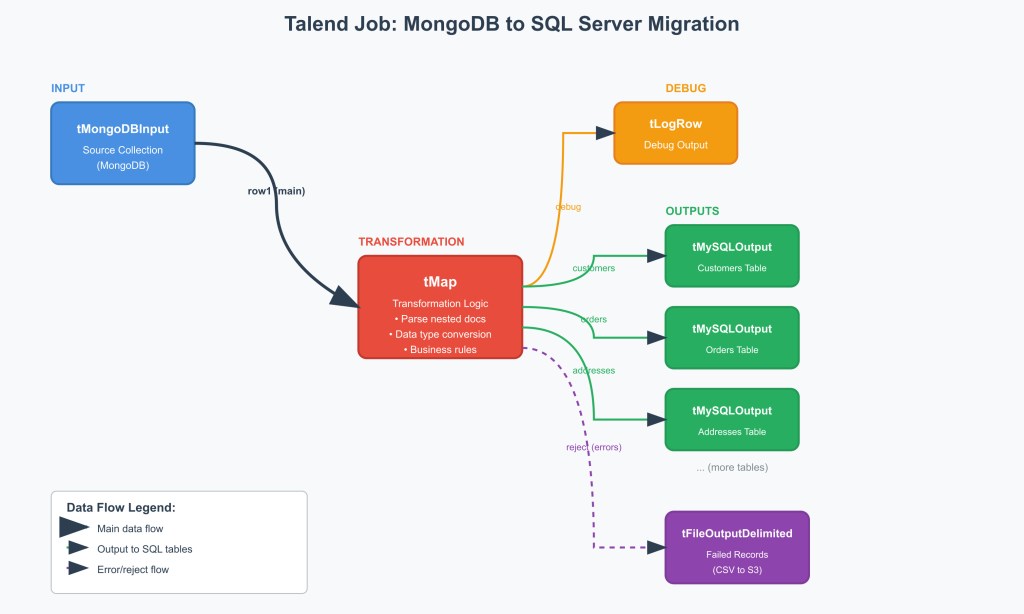
Here’s what our typical Talend job looked like:
- tMongoDBInput – Connected to source collection
- tMap – The heavy lifting happened here, with custom transformation logic
- tLogRow – For debugging (trust me, you’ll need this)
- Multiple tMySQLOutput components – One for each target table
- tFileOutputDelimited – For error handling, writing failed record
Getting Technical: The Transformation Logic
Let me share some of the real technical challenges we faced and how we solved them.
Handling Nested Arrays Take that addresses array from the MongoDB document. In Talend, we had to:
// In tMap, we used this kind of logic
if(row1.customer.addresses != null) {
    for(int i = 0; i < row1.customer.addresses.length; i++) {
        // Create separate output row for each address
        out_addresses.customer_id = row1._id.toString();
        out_addresses.address_type = row1.customer.addresses[i].type;
        out_addresses.street = row1.customer.addresses[i].street;
        out_addresses.city = row1.customer.addresses[i].city;
        out_addresses.state = row1.customer.addresses[i].state;
    }
}
The tricky part was managing the one-to-many relationships. We had to ensure that for each MongoDB document, we could generate multiple output records for different target tables while maintaining referential integrity.
Data Type Conversions MongoDB’s flexible typing system created some interesting challenges:
- ObjectIds needed to be converted to strings (and we had to decide on GUID vs. string format in SQL Server)
- MongoDB dates (ISODate) had to be converted to SQL Server datetime2
- NumberLong vs. regular numbers required careful handling
- Some fields that were strings in some documents were numbers in others (thankfully, we didn’t encounter this much)
JSON Columns Strategy For the preferences object in our example, we decided to preserve it as JSON in SQL Server rather than normalize it further. The business logic around preferences was complex and changing frequently, so keeping it as JSON gave the application flexibility while still allowing for SQL queries when needed.
-- This allowed queries like:
SELECT customer_id, JSON_VALUE(preferences, '$.newsletter') as newsletter_opt_in
FROM customers
WHERE JSON_VALUE(preferences, '$.notifications.email') = 'true'
Error Handling:
Here’s something I learned the hard way from previous projects: if something can go wrong during a migration, it will. So we built error handling into everything.
The S3 Error Bucket Strategy Instead of just logging errors to files, we configured Talend to write failed records to S3 buckets with detailed error information:
failed-records/
├── date=2023-03-15/
│   ├── collection=customers/
│   │   ├── transformation_errors.csv
│   │   ├── constraint_violations.csv
│   │   └── data_type_errors.csv
│   └── collection=orders/
│       └── transformation_errors.csv
Each error record included:
- Original MongoDB document (as JSON string)
- Error type and message
- Timestamp
- Job execution ID
- Target table that failed
This gave us incredible visibility into what was failing and why. More importantly, it allowed us to fix the transformation logic and reprocess just the failed records without re-running the entire migration.
Validation Checkpoints We built multiple validation points into our Talend jobs:
- Pre-transformation validation: Check for required fields, valid data types
- Post-transformation validation: Ensure foreign key values exist, check data ranges
- Business rule validation: Apply client-specific business rules
- Final reconciliation: Compare record counts and key metrics
What We Learned (The Hard Way)
Planning Is Everything The analysis phase took 30% of our total project time, but it saved us weeks during execution. Every hour spent understanding the source data structure paid dividends later.
Test with Real Data, Not Samples Our initial testing used a clean subset of data. The real migration revealed edge cases we hadn’t anticipated—like documents with malformed nested structures or unexpected null values.
Error Handling Is Not Optional The S3 error bucket strategy was a game-changer. Instead of panicking when things failed, we could methodically analyze issues and fix them without losing data.
If I Had to Do It Again: What I’d Change
Start with a Data Catalog Next time, I’d invest in proper data cataloging tools upfront. Understanding the source data structure manually was painful and error-prone.
Implement Incremental Processing Earlier Even though this was a one-time migration, building incremental processing capability would have made our testing iterations much faster.
More Automated Testing We did a lot of manual validation. Next time, I’d invest more time in automated testing frameworks to validate data integrity continuously.
Better Rollback Planning While we had backups, our rollback plan wasn’t as detailed as it should have been. Having a more comprehensive rollback strategy would have reduced stress levels significantly.
Wrapping Up: Was It Worth It?
Their reporting capabilities improved dramatically, integration with other enterprise systems became seamless, and the development team became more productive with familiar SQL tooling. We also built SQL stored procedures to handle some of the application layer logic, which helped with the transition from document-based queries to relational operations.
The migration taught our team valuable lessons about handling heterogeneous data transformations, and we’ve since taken on two more NoSQL-to-RDBMS projects using the same methodologies.
For anyone facing a similar challenge, my advice is simple: respect the complexity, plan thoroughly, test extensively, and don’t underestimate the application-layer changes. It’s not just a data migration—it’s a complete architectural transformation.
And yes, it’s absolutely doable. The combination of proper analysis, flexible ETL tools like Talend, and a systematic approach can bridge even the widest gaps between different data paradigms.
 data-squads
Leave a comment